Short answer: To optimize your Google Business Profile as a home service business, claim and verify your listing, choose the most accurate primary category, keep your name/address/phone (NAP) identical everywhere, add real photos, list every service with descriptions, define your service areas, publish weekly Google Posts, and earn steady, keyword-rich reviews with fast replies. Done consistently, this is the single highest-ROI local marketing action most contractors can take — because it decides whether you show up in the Google Map Pack when someone nearby searches "[your service] near me."
Below is the complete, no-fluff playbook.
Why Google Business Profile Is the Most Valuable Real Estate in Local Marketing
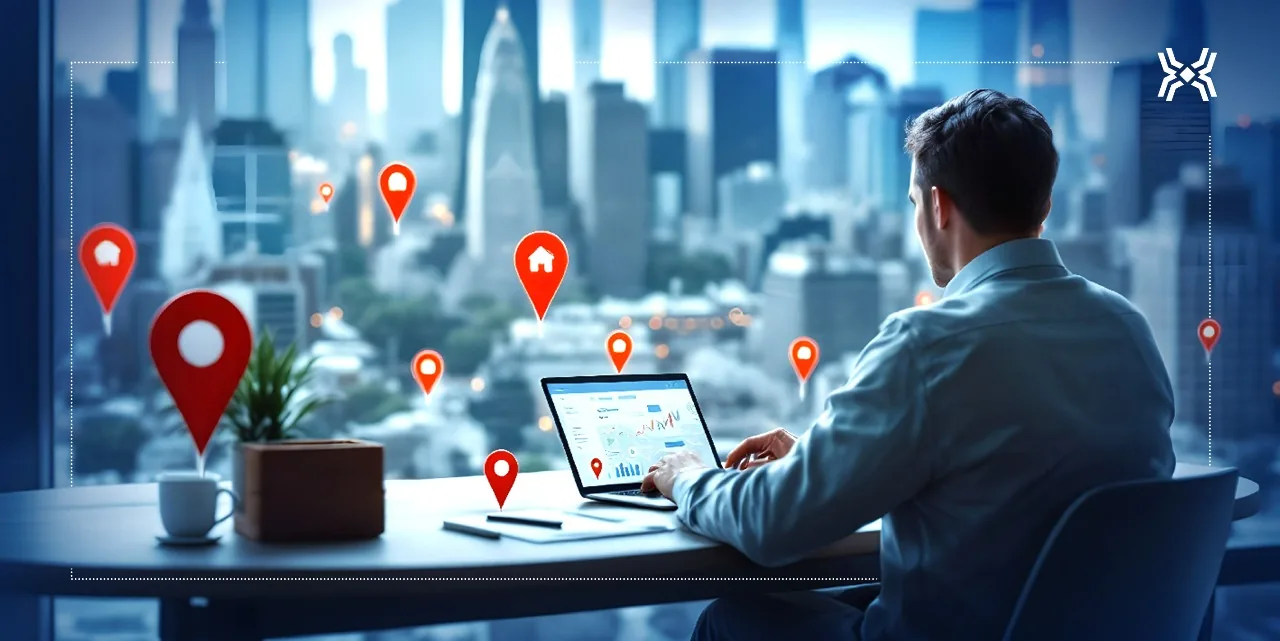
When a homeowner's water heater bursts or a storm damages their roof, they don't open a browser and scroll a website. They grab their phone and search something like "emergency plumber near me" or "roof repair [city]." Within a second, Google shows a map with three businesses — the Map Pack (also called the Local Pack) — and most people call one of those three before they ever scroll to the traditional blue links below.
That Map Pack is powered almost entirely by your Google Business Profile (GBP) — the free listing formerly known as Google My Business. For home service companies, it is often the difference between a phone that rings all day and a phone that stays silent.
Here's why it matters so much for contractors specifically:
- High intent. "Near me" and emergency searches are bottom-of-funnel. These people want to hire today, not compare quotes for two weeks.
- Trust at a glance. Your star rating, review count, photos, and response speed all show up before the click. You're being judged before the conversation starts.
- It's free. Unlike Google Ads, ranking in the Map Pack costs nothing but consistent effort.
- It feeds AI answers. Google's AI Overviews and assistants like ChatGPT, Gemini, and Perplexity increasingly pull local business facts from structured, consistent sources — and your GBP is one of the most authoritative ones you control.
Key takeaway: For a local service business, an optimized Google Business Profile usually delivers more qualified leads per dollar than any other single channel.
How the Google Map Pack Actually Ranks You
Google has publicly stated that local ranking comes down to three factors. Understanding them tells you exactly where to spend your effort.
| Ranking Factor | What It Means | What You Control |
|---|---|---|
| Relevance | How well your profile matches the searcher's query | Categories, services, business description, posts |
| Distance | How close you are to the searcher's location | Service-area settings, city-specific content |
| Prominence | How well-known and trusted you are | Reviews, review velocity, citations, backlinks, website authority |
You can't move your building closer to every customer. But you can dominate relevance and prominence — and that's where most competitors are lazy. That's your opening.
The Complete Google Business Profile Optimization Checklist
1. Claim and Verify Your Profile
If you haven't claimed your listing, do it first at google.com/business. Verification (by video, phone, postcard, or email depending on your business) proves you're the real owner. An unverified profile can't be fully edited and won't rank reliably.
2. Nail Your Business Name — No Keyword Stuffing
Use your real, legal business name. Do not add keywords like "Dallas Emergency Plumber 24/7" if that isn't your actual name. Google considers this spam and competitors can (and do) report it, risking suspension. Relevance comes from categories and services, not a stuffed name.
3. Choose the Right Primary Category (This Is Huge)
Your primary category is one of the strongest relevance signals Google uses. Be specific:
- A roofer should choose "Roofing Contractor," not just "Contractor."
- An HVAC company should choose "HVAC Contractor" or "Air Conditioning Repair Service" based on their core money service.
- A tree service should choose "Tree Service" rather than "Landscaper."
Then add every relevant secondary category (e.g., "Furnace Repair Service," "Water Heater Supplier"). Study the top-ranking competitors in your city to see which categories the winners use.
4. Complete NAP and Contact Details — Perfectly Consistent
Your Name, Address, and Phone number (NAP) must be identical across your GBP, website, Facebook, Yelp, and every directory. Even small differences ("St." vs "Street," or two different tracking numbers) confuse Google and weaken your prominence.
- Use a local phone number whenever possible.
- Link to a relevant landing page, not just the homepage, when it makes sense.
- Add your hours, including special holiday hours, and mark yourself "open 24 hours" if you truly offer emergency service.
5. Define Service Areas (For Service-Area Businesses)
Most contractors don't want customers showing up at their shop — they go to the customer. Set your business as a service-area business and list the specific cities, counties, and ZIP codes you serve. Don't list 200 towns you'll never drive to; Google rewards focused, believable service areas.
6. Load Up the Services Section
This is one of the most underused features. Add every service you offer as its own entry with a short, natural description. For a plumber:
- Drain cleaning
- Water heater installation and repair
- Leak detection
- Sewer line repair
- Emergency plumbing
- Repiping
Each service description is a chance to naturally include the words your customers actually search for — without stuffing.
7. Write a Keyword-Aware Business Description
You get 750 characters. Use the first sentence to say who you are, what you do, and where — clearly and directly. Mention your primary services and city naturally. Write for a human first; the search relevance follows.
8. Add Real, Geo-Relevant Photos (And Keep Adding Them)
Profiles with photos get significantly more clicks and direction requests than those without. Upload:
- Your logo and a cover photo
- Team photos and branded trucks
- Before-and-after shots of real jobs (gold for home services)
- Photos taken on-site in the cities you serve (geo-tagged images help reinforce location relevance)
Add a few new photos every month. A stale profile looks like a business that might be closed.
9. Turn On Messaging and Booking
Enable messaging so mobile searchers can text you directly, and connect a booking link if you use scheduling software. Every extra way to contact you is an extra chance to capture a lead that would otherwise call a competitor. If you can't answer texts fast, pair this with an automated response system so no lead goes cold.
Reviews: The Engine of Local Prominence
If categories win relevance, reviews win prominence. For home service businesses, reviews do three jobs at once: they lift your Map Pack ranking, they build instant trust, and they feed the exact keywords customers search.
What Actually Moves the Needle
- Volume: More reviews than your top competitors, over time.
- Velocity: A steady stream beats 40 reviews in one week and none for a year. Google notices bursts and lulls.
- Recency: Reviews from the last 30–90 days carry more weight than a five-star rush from three years ago.
- Keywords: When a customer writes "they did a great water heater replacement in Frisco," that review reinforces both your service and your location.
- Responses: Reply to every review — positive and negative. It signals an active, trustworthy business to both Google and future customers.
How to Get More Reviews (Without Being Pushy)
- Ask in person right after a job is done well — this is when satisfaction peaks.
- Send a follow-up text with a direct review link the same day. Friction kills conversion; make it one tap.
- Automate the ask so it happens after every completed job instead of whenever someone remembers.
- Never gate or buy reviews. Incentivized or fake reviews violate Google's policies and can get your profile suspended.
Managing this by hand across dozens of jobs a week is where most contractors fall behind. This is exactly the kind of task worth automating — Sky Lift Group's review management system sends the ask automatically after each job and routes unhappy customers to you privately before they post publicly.
Google Posts: The Free Feature Almost Nobody Uses
Google Posts are mini-updates that appear on your profile. Publishing one per week keeps your profile active and gives you more surface area in search. Use them for:
- Seasonal offers ("Pre-winter furnace tune-up special")
- Recently completed projects with a photo
- Service spotlights
- Answers to common customer questions
Keep each post short, add a photo, and include a clear call-to-action button ("Call now," "Book," "Learn more").
Q&A and Attributes: Small Signals That Add Up
- Seed your own Q&A. You can ask and answer common questions on your own profile ("Do you offer emergency service? Yes, 24/7 across [city]."). This preempts confusion and adds keyword-rich content.
- Set attributes honestly — "veteran-owned," "family-owned," "free estimates," "24/7 emergency service." These can help you appear for more specific searches and build trust.
Connecting GBP to the Rest of Your Marketing
Your Google Business Profile doesn't work in a vacuum. It performs best when it's the front door to a well-built system:
- A fast, mobile-first website with location and service pages reinforces relevance and prominence. (See our approach to local SEO on the website side.)
- Local Map ranking as a dedicated discipline — tracking your position in the Map Pack across your service area and improving it methodically. That's the focus of our Local Maps service.
- Instant lead follow-up. A homeowner with an urgent problem is rarely calling only one company, and the one that responds first has a real advantage. Tools like an instant text reply and automatic follow-up sequences make sure a GBP lead never slips away because you were on a ladder.
- An AI chatbot on your website to capture and qualify the visitors your profile sends over. (See AI chatbots.)
Optimizing GBP gets the phone to ring. The systems around it make sure every ring turns into a booked job.
How GBP Optimization Feeds AI Search (AEO/GEO)
Search is no longer just ten blue links. Homeowners now ask Google's AI Overviews, ChatGPT, Gemini, and Perplexity questions like "who's the best-rated HVAC company in [city]?" These systems favor businesses with consistent, structured, well-reviewed information across the web.
An optimized Google Business Profile helps here because it gives AI engines a clean, authoritative record of:
- What you do (categories + services)
- Where you operate (service areas)
- How trusted you are (reviews and ratings)
- How to reach you (verified contact details)
The businesses that keep this information accurate and active are the ones AI tools are most likely to recommend. Neglect it, and you become invisible in both traditional and AI search.
Common Google Business Profile Mistakes That Kill Local Rankings
- Keyword-stuffing the business name (spam risk, possible suspension)
- Inconsistent NAP across the web
- Choosing a vague primary category ("Contractor" instead of "Roofing Contractor")
- Ignoring reviews or never responding to them
- Letting the profile go stale — no new photos or posts for months
- Listing a fake or virtual address for a service-area business
- Setting up the profile once and never touching it again
Local SEO is not a one-time setup. It's a habit.
Your First 30 Days: A Simple Action Plan
Week 1 — Foundation: Claim/verify, set the correct primary and secondary categories, fix NAP everywhere, complete hours and service areas.
Week 2 — Content: Add all services with descriptions, write your business description, upload 15–20 real photos, enable messaging and booking.
Week 3 — Reviews: Set up a repeatable, automated review-request process; reply to every existing review; ask your last 20 happy customers.
Week 4 — Momentum: Start publishing one Google Post per week, seed 5–10 Q&As, and begin tracking your Map Pack position for your top 5 keywords.
Then repeat weeks 3–4 forever. Consistency is the whole game.
Frequently Asked Questions
How long does it take to rank in the Google Map Pack?
Most home service businesses see movement within 30–90 days of consistent optimization, though competitive cities can take longer. Reviews and profile activity compound over time, so the earlier you start the steady work, the sooner you rank.
Is Google Business Profile really free?
Yes. Claiming, verifying, and fully optimizing your profile costs nothing. Your only investment is the time (or the help) to keep it active with photos, posts, services, and reviews.
How many reviews do I need to rank?
There's no magic number — the goal is to have more high-quality, recent reviews than your top Map Pack competitors and to keep a steady flow coming in. Ten strong recent reviews often outperform fifty old ones.
Can I rank in cities where I don't have an office?
You can rank in your genuine service areas as a service-area business, but Google strongly favors proximity, so you'll rank best nearest your actual location. Supporting each target city with a dedicated website landing page helps close the gap.
What's the difference between Google Business Profile and Google My Business?
They're the same product. Google renamed Google My Business to Google Business Profile in 2021 and moved management directly into Google Search and Maps.
Will optimizing my profile help me show up in AI search results?
It helps. AI Overviews and assistants pull from consistent, trusted local data, and a well-maintained, well-reviewed Google Business Profile is one of the strongest signals you control. It won't guarantee a citation, but it meaningfully improves your odds.
Ready to Generate More Leads for Your Business?
Sky Lift Group helps local businesses dominate Google Search, optimize their Google Business Profile, build high-converting AI-powered websites, and automate lead generation.
Contact us today for a free strategy consultation.